 Vipo Search
Keep2Share
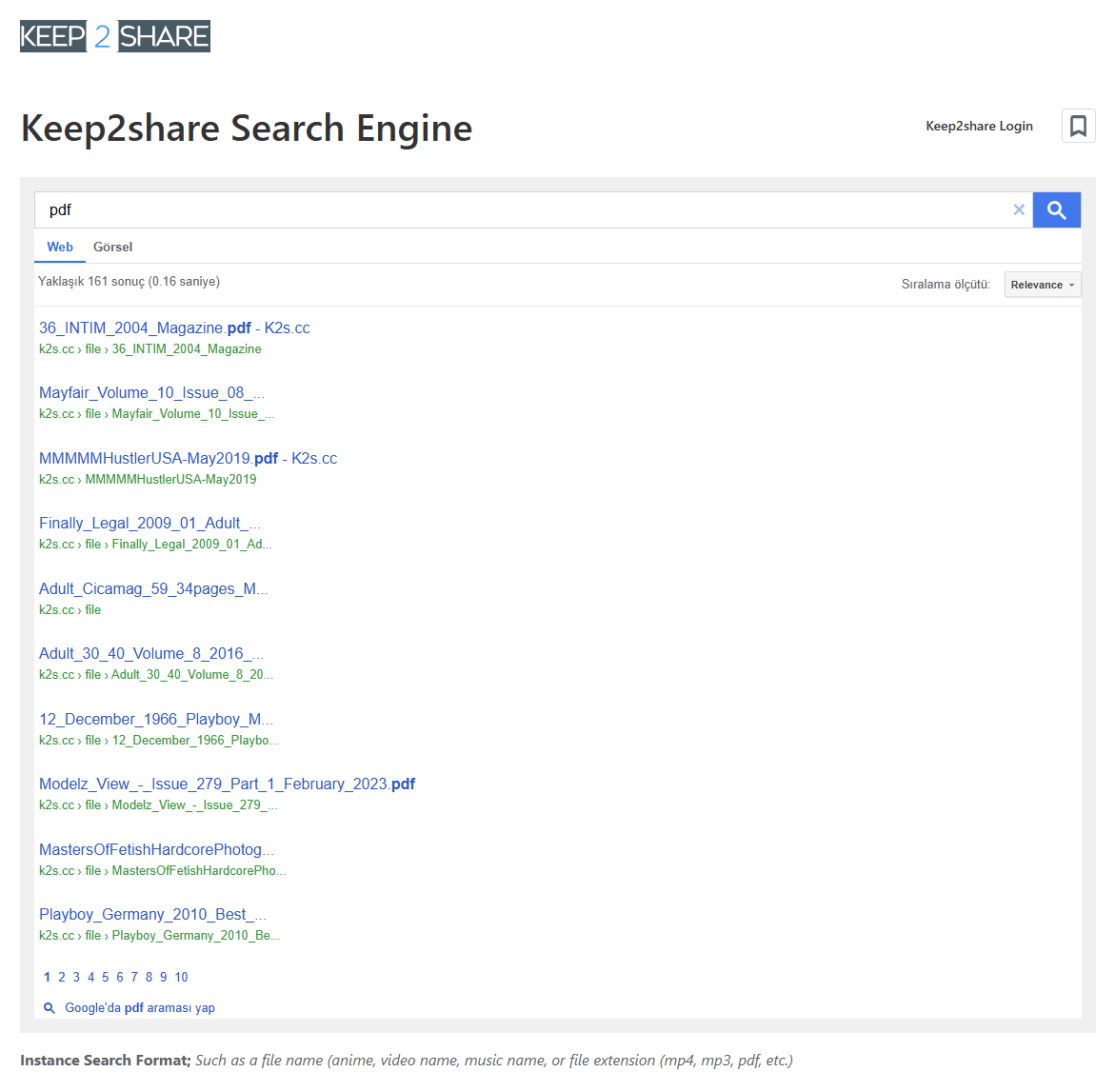
Instance Search Format; Such as a file name (anime, video name, music name, or file extension (mp4, mp3, pdf, etc.)
If you have used file hosting services before, you have probably come across Keep2Share, also known as K2s.cc. It is mainly used for uploading, storing, sharing and downloading files.
Keep2Share has been around for a long time and has a large number of files on its servers. You can use it with a free account or upgrade to a premium plan if you download files more often.
Keep2share has free and premium membership options. Which one makes sense for you mostly depends on how often you use the service.
- Free Membership:
- Suitable for occasional downloads and basic file sharing.
- You can upload and share files without paying for a premium account.
- Premium Memberships:
- Premium accounts come with higher download limits and faster speeds:
- Premium Package: Allows up to 10 GB of downloads per day.
- Premium Pro Package: Allows up to 50 GB of downloads per day.
- Premium accounts come with higher download limits and faster speeds:
If you only use Keep2Share from time to time, the free option may be enough. For regular downloads, one of the premium plans is more practical.
How to Search for Files Using VipoSearch?
VipoSearch is a search engine that indexes Keep2Share files and lets you search for them by keyword or file extension.
To use it:
- Visit VipoSearch.com/keep2share.
- Enter a filename, keyword or file extension.
- Click “Search” and check the available results.
If you don’t know the exact filename, try a shorter keyword or a file extension. If the first search doesn’t bring up what you’re looking for, try a slightly different keyword. Keep in mind that results depend on what has been indexed, so you may not always find the exact file you want.
Uploading a file to Keep2share is pretty simple. You can either drag the file into the upload area or select it from your device.
- Drag-and-Drop: Drag your file into the upload area and start the upload.
- Select-and-Load: Browse your device and choose the file you want to upload.
Once the upload is complete, Keep2share gives you a download link that you can share with others. Once you have an account, you can also manage your uploaded files and access your downloads from your account.
Premium Plans: Speed and Convenience at Your Fingertips
If you download files regularly, a premium account can make things easier. The main difference is the higher download limit and faster download speeds.
- Premium Plan: Up to 10 GB of downloads per day.
- Premium Pro Plan: Up to 50 GB of downloads per day.
For someone who only downloads a file now and then, the free account may be enough. The higher limits are more useful for people who download larger files regularly.
If you’re looking for files on Keep2share, using a search engine can save you from checking individual links one by one.
- Fast Downloads: Premium accounts offer faster download speeds.
- File Search: VipoSearch lets you search using keywords and file extensions.
- Easy to Use: Enter your search term and check the results.
- Large File Repository: Keep2share hosts a large number of files.
- Easy Sharing: Uploaded files can be shared using download links.
Keep2Share is a file hosting service used for storing, sharing and downloading files. You can create a free account for basic use or choose a premium plan if you need higher download limits.
The service is fairly straightforward, which is one reason it is still used by people who regularly exchange larger files.
Getting started with Keep2Share is simple. You can:
- Create a Free Account: Start using the service without a premium subscription.
- Upgrade to Premium: Choose a premium plan if you need higher download limits and faster speeds.
Once you have an account, you can manage your uploaded files and access your downloads from your Keep2Share account.
Keep2Share has its own download system, but free and premium users have different limits.
- For Free Users: Downloads are subject to the limits of the free account.
- For Premium Users: Higher limits and faster download speeds are available.
If you download several files regularly, a third-party Keep2 Share premium downloader can also be useful for managing downloads. There are many third-party download tools around, so always use a trusted application and avoid installing software from suspicious sources.
Purchasing Keep2 Share Premium is fairly straightforward. If you decide to upgrade, you can choose the plan that fits your daily download needs.
Upgrading to K2S Premium gives you higher download limits and faster speeds. The available options include:
- Faster Download Speeds: Premium accounts offer better download speeds.
- Higher Download Limits: Premium allows up to 10 GB/day, while Premium Pro allows up to 50 GB/day.
- No Ads: Premium accounts provide a cleaner browsing experience.
- Priority Access: Premium users can get better access to the available download speeds.
- Visit the official Keep2 Share website.
- Open the Premium section.
- Choose between Premium (10 GB/day) or Premium Pro (50 GB/day).
- Complete your payment using one of the available payment methods.
- After the upgrade, the premium features will be available on your account.
A free account is enough if you only use Keep2Share occasionally. You can upload files, share them and download files within the limits of the free service.
- Basic storage and download options.
- Drag-and-drop file uploading.
- Basic search and file sharing features.
If you start using Keep2Share more often, you can upgrade to Premium later.
Searching for a file is sometimes the hardest part, especially if you don’t have the original Keep2Share link. Tools such as VipoSearch can help with this.
You can search using:
- File names or keywords.
- File extensions.
- Specific terms related to the file you need.
Simply enter your search term into VipoSearch and check the results. If the first search doesn’t bring up what you’re looking for, try a shorter or slightly different keyword.
If you download a lot of files, a K2S premium downloader can make download management easier. Depending on the software, you may find features such as:
- Download management.
- Batch downloading.
- Download queues.
- Resume support for interrupted downloads.
There are many third-party download tools around, so use a trusted application and avoid installing software from suspicious sources.
Keep2-Share is mainly useful if you regularly need to upload, share or download files. A free account can be enough for occasional use, while premium plans are aimed at people who download more frequently.
Some of the main things you can use Keep2-Share for are:
- File Storage: Store your files and access them when needed.
- File Sharing: Share files with other people using download links.
- Flexibility: Choose between a free account and premium plans depending on how often you use the service.
In the end, it mostly comes down to how you use Keep2-Share. If you only download files occasionally, the free account may be enough. If you download larger files regularly, a premium plan can give you higher limits and faster speeds.
Tools like VipoSearch can also make it easier to find files when you don’t have the original Keep2Share link.
271689