 Vipo Search
1Fichier Premium Pricing, Official Login & File Search Engine
Instance Search Format; Such as a file, video, movies, music, app, document more all.
If you have been around the web for more than a decade, you have watched the file-hosting ecosystem undergo massive shifts. Giants like Megaupload, Rapidshare, and Zippyshare either shut down, were seized, or collapsed under infrastructure costs. Through all of that volatility, 1fichier—operated quietly out of France by D storage SAS since 2009—has remained one of the few surviving workhorses of the European cloud storage landscape.
Yet, if you try searching for 1fichier today on Google, you will quickly notice a glaring disconnect: the official homepage is almost impossible to find, search results are flooded with scraper blogs or phishing clones, and finding content hosted on the network requires specialized tools.
The platform is not gone. It is simply operating in an environment shaped by aggressive copyright litigation, ISP-level DNS filtering, and automated search engine de-indexing.
This guide serves as a practical, technical resource. Below, you will find direct access to our verified 1fichier file search tool, instructions on how to reach the authentic login portal without falling for clones, an honest breakdown of the 2026 premium pricing structure, and an explanation of the platform’s unique hot-versus-cold storage architecture.
How to Search for Files on 1Fichier
By design, 1fichier is an unindexed storage service. It does not provide a public directory, a trending page, or a search bar on its homepage. If an uploader does not hand you an exact URL, the file remains invisible.
To solve this, VipoSearch utilizes a dedicated search engine layer built on targeted search syntax and Google’s public indexing crawlers. It scans every public 1fichier link that web crawlers have indexed across forums, blogs, and public repositories.
Using the Integrated Search Tool
- Use the search bar located at the top of this page.
- Type in the specific name of the file, software release, document, or media archive you need.
- Add a file extension to narrow down results (e.g.,
linux-distribution .iso,technical-manual .pdf, orproject-archive .rar). - Click Search to view direct links to matching 1fichier hosted files.
Manual Search Operators (Google Dorks)
If you prefer querying search engines directly, you can bypass front-end interfaces by using targeted Google search operators:
- Archive files:
site:1fichier.com "search query" (zip | rar | 7z | tar) - Video media:
site:1fichier.com "title" (mkv | mp4 | avi) - Software images:
site:1fichier.com "release name" filetype:iso
A realistic note on search coverage: Google only indexes links that have been posted openly on public web pages. Private files, password-protected directories, and freshly uploaded content that has not yet been crawled by web spiders will not show up in any third-party search tool.
The Official 1Fichier Login: Bypassing Blocks & Avoiding Phishing
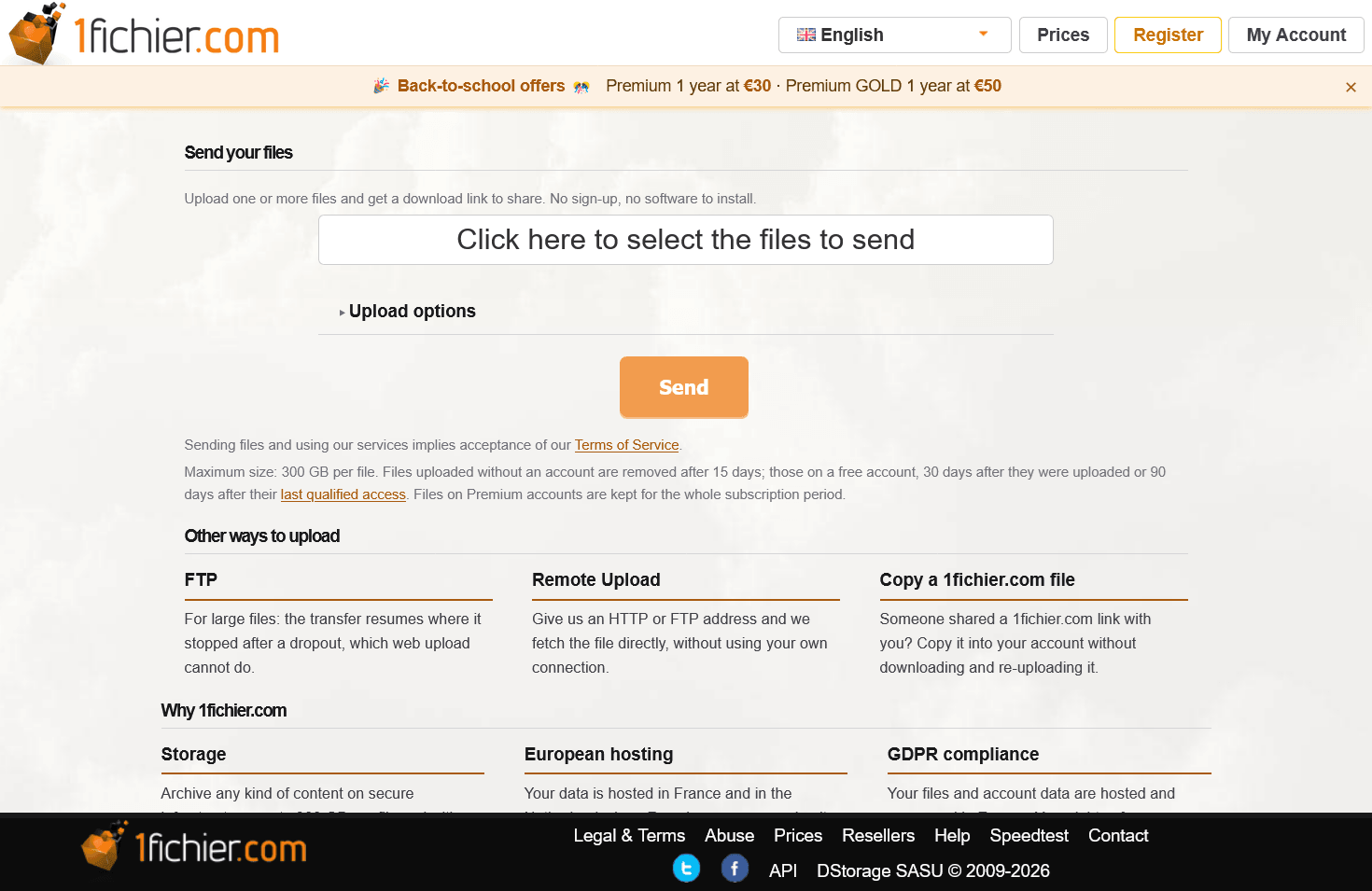
The most common support question regarding 1fichier is: “Is the site down?”
In nine out of ten cases, the platform is fully online. What you are encountering is a legal or network block.
Because 1fichier hosts millions of user files, international copyright consortia (such as ACE, Canal+, Nintendo, and national communications authorities like AGCOM in Italy) routinely obtain nationwide ISP blocking orders. At the same time, Google regularly de-indexes 1fichier URLs from its main search results under the Digital Millennium Copyright Act (DMCA).
This absence from regular search results creates an opening for scammers. Malicious actors purchase misspelled domains, clone the 1fichier interface, and attempt to steal user credentials or credit card details.
Verified Network Domains
To verify that you are connecting to genuine D storage SAS infrastructure, ensure your browser is connected to one of their legitimate domains:
1fichier.com(Main service domain)alterupload.comcjoint.netdesfichiers.comdfichiers.commegadl.frmesfichiers.netpiecejointe.nettenvoi.comdl4free.com
You can safely access your account or register a new one via the direct Official 1Fichier Login Portal.
Fixing the “Site Cannot Be Reached” Connection Error
If your browser fails to resolve 1fichier.com, your internet service provider has almost certainly implemented a DNS-level block. You do not need a sluggish VPN to resolve this; you only need to change your DNS resolver:
- Switch to Cloudflare DNS: Set your primary DNS to
1.1.1.1and secondary to1.0.0.1. - Alternative (Google DNS): Set primary to
8.8.8.8and secondary to8.8.4.4. - Enable DNS over HTTPS (DoH): In your browser settings, search for “Secure DNS” and select Cloudflare or Google.
Once applied, the ISP redirection is bypassed, allowing full, unthrottled access to the official servers.
Free Tier vs. Premium: Daily Usage Realities
Understanding whether you need a paid account comes down to your download volume and patience. 1fichier does not hide the fact that its free tier is intentionally restrictive.
What It Is Like to Use the Free Tier
The free account tier is designed for occasional, single-file downloads:
- The Cooldown Timer: After completing a download, your IP address is locked for 60 to 120 minutes. You cannot initiate another download on the network until this timer expires.
- Speed Caps: Download speeds are throttled, typically hovering between 500 KB/s and 2 MB/s depending on peak server traffic.
- No Parallel Tasks: You cannot download two files at the same time.
- No Resume Support: If your connection drops halfway through a 10 GB file, the download cannot be resumed. You have to wait out the cooldown timer and restart from zero percent.
- Aggressive Data Pruning: Files uploaded on a free account are automatically deleted if they receive no downloads for 30 consecutive days.
What Changes on Premium
Upgrading to a Premium tier turns 1fichier into a high-performance raw storage pipeline:
- Line Saturation: 1fichier operates massive bandwidth pipes out of data centers in Gravelines and Amsterdam. Premium connections easily saturate 1 Gbps fiber lines, reaching speeds of 80 to 110+ MB/s.
- Zero Cooldowns: No waiting periods, no countdown timers, and no captchas.
- Simultaneous Connections: Download multiple files in parallel across multiple threads.
- Full Resume Support: Supported by all major download management software.
- Direct Inline Streaming: Play audio and video directly in media software without saving the physical file to your local drive first.
Plan Feature Comparison
| Capability | Free Tier | Access / Basic | Premium | Premium GOLD |
|---|---|---|---|---|
| Download Speed | Capped (~1–2 MB/s) | Unlimited | Max Line Speed | Max Line Speed |
| Wait Time Between Files | 60–120 Minutes | None | None | None |
| Parallel Downloads | 1 Stream | Multiple | Unlimited | Unlimited |
| Download Manager Support | Broken / Unstable | Yes | Full (IDM, JDownloader) | Full |
| Active (Hot) Storage | 1 TB (30-day purge) | 1 TB | Unlimited | Unlimited |
| Cold Storage Included | 0 GB | 100 GB | 2 TB Included | 10 TB Included |
| Monthly CDN Credits | None | 10 GB | 100 GB | 200 GB |
| Interface Ads & Captchas | Yes | None | None | None |
2026 Pricing Architecture: The Prepaid Key System
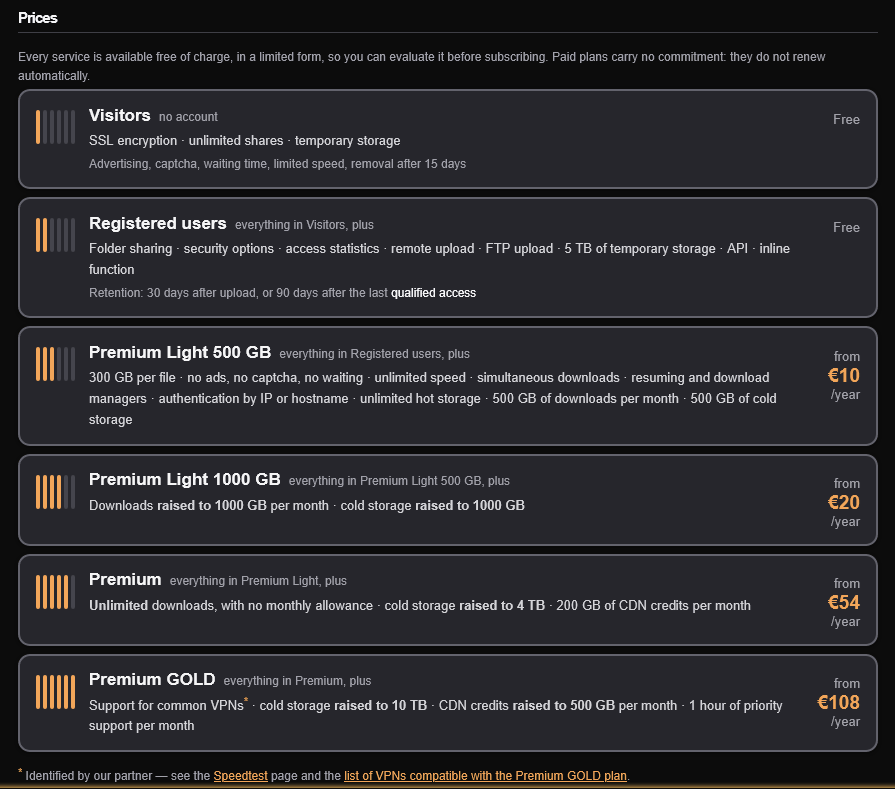
One of the most user-friendly aspects of 1fichier—and something almost all modern software companies have abandoned—is that they do not force you into auto-renewing credit card subscriptions.
1fichier operates on a prepaid “voucher key” model. You purchase an access key for a specific period of time (e.g., 1 year or 5 years) and activate it on your account. When that duration ends, your card is never charged again. If you wish to continue, you manually buy another key. If not, your account quietly drops back to the free tier with zero surprise bank statements.
Standard Rates vs. Promotional Deals
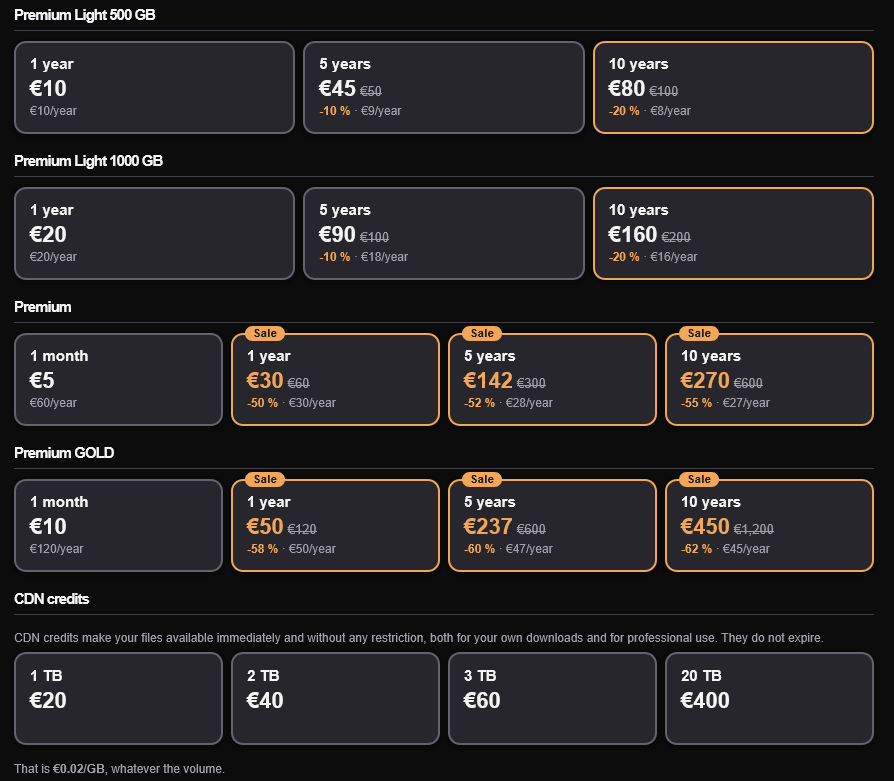
Premium Light 500 GB
1fichier is renowned for offering the cheapest bulk storage and bandwidth rates among established file hosts:
- 1-Month Access: ~€3.00. Best suited for short-term data transfers or one-time project downloads.
- 1-Year Access: The standard base rate sits at €60.00, but 1fichier runs predictable seasonal sales (spring promos, autumn sales, Black Friday) where this drops to €18.00 to €30.00 per year.
- 5-Year Access: ~€130.00. This is the sweet spot for experienced downloaders, working out to approximately €26 per year for 5 years of uninterrupted service.
- 10-Year Access: ~€250.00. Extremely rare in the cloud sector, this package averages out to €25 per year, guaranteeing a decade of high-speed downloading.
To ensure you receive direct European pricing without reseller surcharges, activate your account via the Official 1Fichier Portal. Supported payment methods include major credit cards, Paysafecard, and cryptocurrencies like Bitcoin.
Storage Mechanics: The 60-Day Cold Storage Rule
If you intend to use 1fichier to host files or maintain offsite archives, you must understand how their storage infrastructure operates. Many users have had files deleted simply because they misunderstood the Hot Storage vs. Cold Storage rule.
Understanding Hot Storage
- For Premium members, Hot Storage is completely unlimited. You can host 10 TB or 100 TB without paying extra fees.
- A file is classified as “Hot” as long as it is downloaded at least once every 60 days.
- If a file receives consistent traffic from third parties—or if you download it yourself once within that two-month window—it remains in hot storage indefinitely.
Understanding Cold Storage
- The moment a file goes 60 consecutive days without a single download, the system automatically flags it and moves it into Cold Storage.
- Base Premium plans come with 2 TB of complimentary Cold Storage. Premium GOLD plans include 10 TB.
- If your accumulated cold files exceed your tier’s allowance, the platform will notify you and begin purging the oldest untouched files.
- Expanding Cold Quotas: If you want to use 1fichier as a permanent, dormant “write-and-forget” archive, you can purchase additional cold storage space for roughly €1.00 to €2.00 per TB per month.
Power User Configuration: JDownloader 2 and VLC Streaming
To maximize your workflow on 1fichier, bypass browser downloads entirely and use dedicated software tools.
1. JDownloader 2 Integration
JDownloader 2 is the industry standard for bulk file retrieval. Configuring 1fichier takes less than a minute:
- Open JDownloader 2 and head to
Settings>Account Manager. - Click
Addand locate1fichier.comin the list. - Enter your account username and password (or account API Key).
- Once verified as a Premium account, JDownloader will automatically decrypt links, bypass browser redirects, and split downloads into multi-chunk parallel streams.
2. Direct Streaming with VLC (Inline Mode)
You do not need to download massive video archives to your hard drive just to view them. 1fichier supports native HTTP range requests:
- In your 1fichier account settings, enable the option for Inline File Serving.
- Copy the direct download link of any media file (MP4, MKV, AVI, FLAC).
- Open VLC Media Player, go to
Media>Open Network Stream, and paste the link. - VLC will buffer and stream the media file directly from 1fichier’s servers with full scrubbing and subtitle support.
3. Resolving the “Proxy / VPN Banned” Error
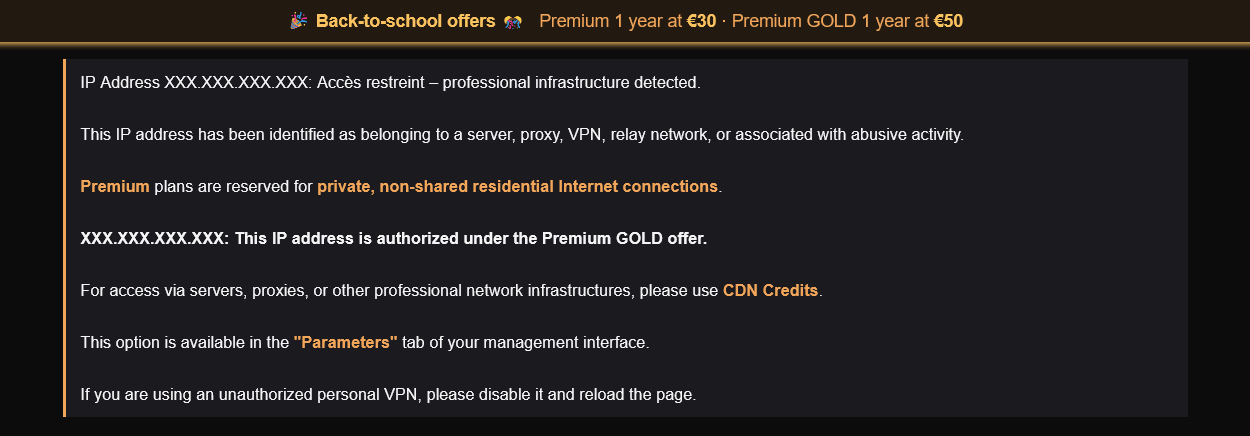
If you receive an error message stating “Your IP has been flagged for unusual usage” or “Professional proxy forbidden”, you are likely connected to a commercial VPN (such as NordVPN, Surfshark, or a data center proxy).
1fichier actively restricts traffic from commercial data center IP blocks to prevent automated scraping and abuse. Because all 1fichier download traffic is already secured via encrypted SSL/TLS (meaning your local ISP can only see an encrypted stream, not the contents or names of the files you are transferring), the simplest solution is to disconnect your VPN while running 1fichier downloads.
Frequently Asked Questions
Is 1fichier a legitimate service?
Yes. 1fichier has been operated by D storage SAS, a registered company based in France, since 2009. The service operates under European business and data privacy standards. Standard precautions apply: always scan downloaded archives with up-to-date security software, and encrypt sensitive personal files before uploading them to any third-party cloud.
Why does 1fichier show a download cooldown on my free account?
The 60 to 120-minute cooldown timer is an intentional capacity-management policy. It limits server congestion from free users and encourages upgrades to paid plans. The cooldown is tied to your public IP address.
No. 1fichier enforces strict account policies. While you can use your account across multiple personal devices within your household, sharing credentials with friends or attempting to download from multiple distinct geographical IP addresses simultaneously will trigger automatic abuse filters, resulting in a temporary account lock.
Does 1fichier automatically charge my credit card when my plan ends?
No. 1fichier uses non-recurring prepaid keys. When your purchased duration expires, the account simply downgrades to the free tier. No recurring charges will ever be made to your payment method unless you explicitly choose to buy a new key.
What is the difference between Premium and Premium GOLD?
Both tiers provide unlimited download speeds, zero wait times, and unlimited hot storage. The primary difference lies in archival capacity: standard Premium includes 2 TB of cold storage and 100 GB of monthly CDN credits, while Premium GOLD increases cold storage to 10 TB and CDN credits to 200 GB per month.
Final Assessment
1fichier is not a flashy, Silicon Valley cloud service with sleek mobile apps and seamless desktop syncing. It has never tried to be. Instead, it remains what it has always been: a straightforward, high-capacity, raw bandwidth storage service that delivers exceptional transfer speeds at prices well below the industry average.
Whether you are using our integrated search engine above to track down public files, establishing automated downloads via JDownloader, or locking in multi-year archive storage, the platform continues to offer unmatched utility in 2026.
To access your account dashboard or verify active voucher promotions, visit the verified Official 1Fichier Portal.
274203